Mobiquity × KIB · 2021
One way to
move money
For a new mobile banking app for Kuwait International Bank, I was one of the first designers on the team. As it grew to six, I became design lead of the payments squad and led the payment flows: transfers, international payments, requests and cards.
Senior product designer at Mobiquity · 2021
Start with who, not with which type
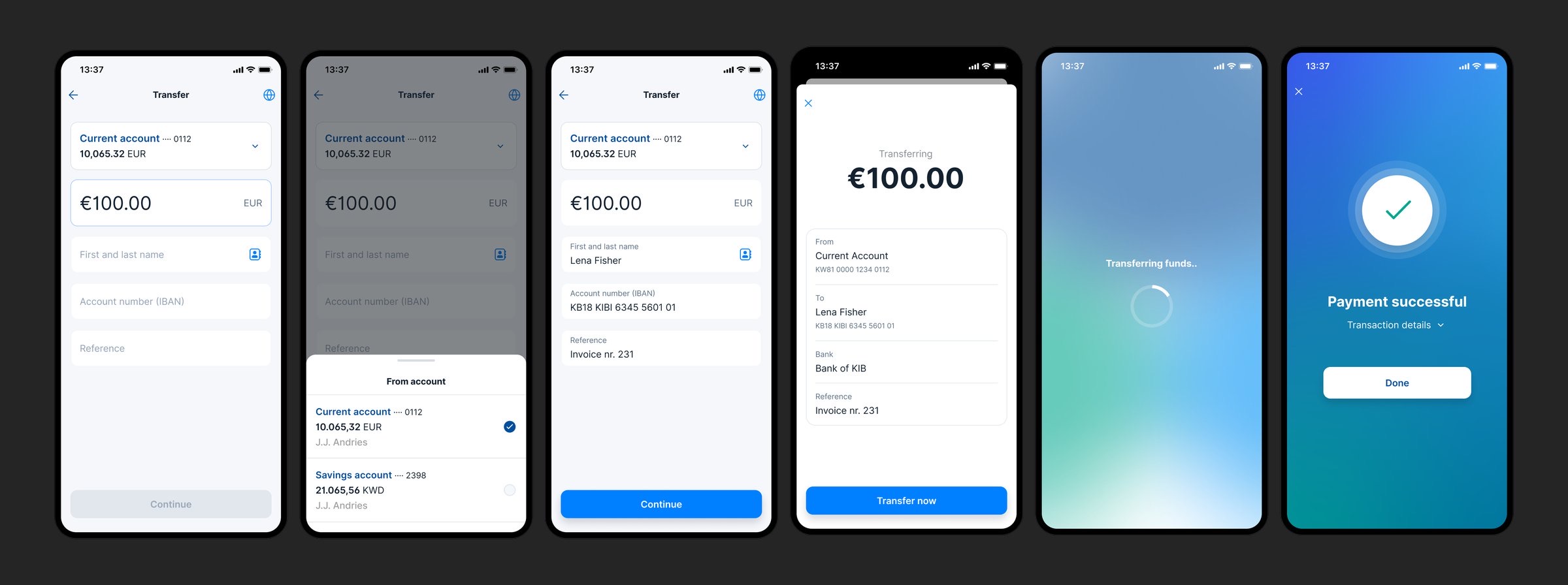
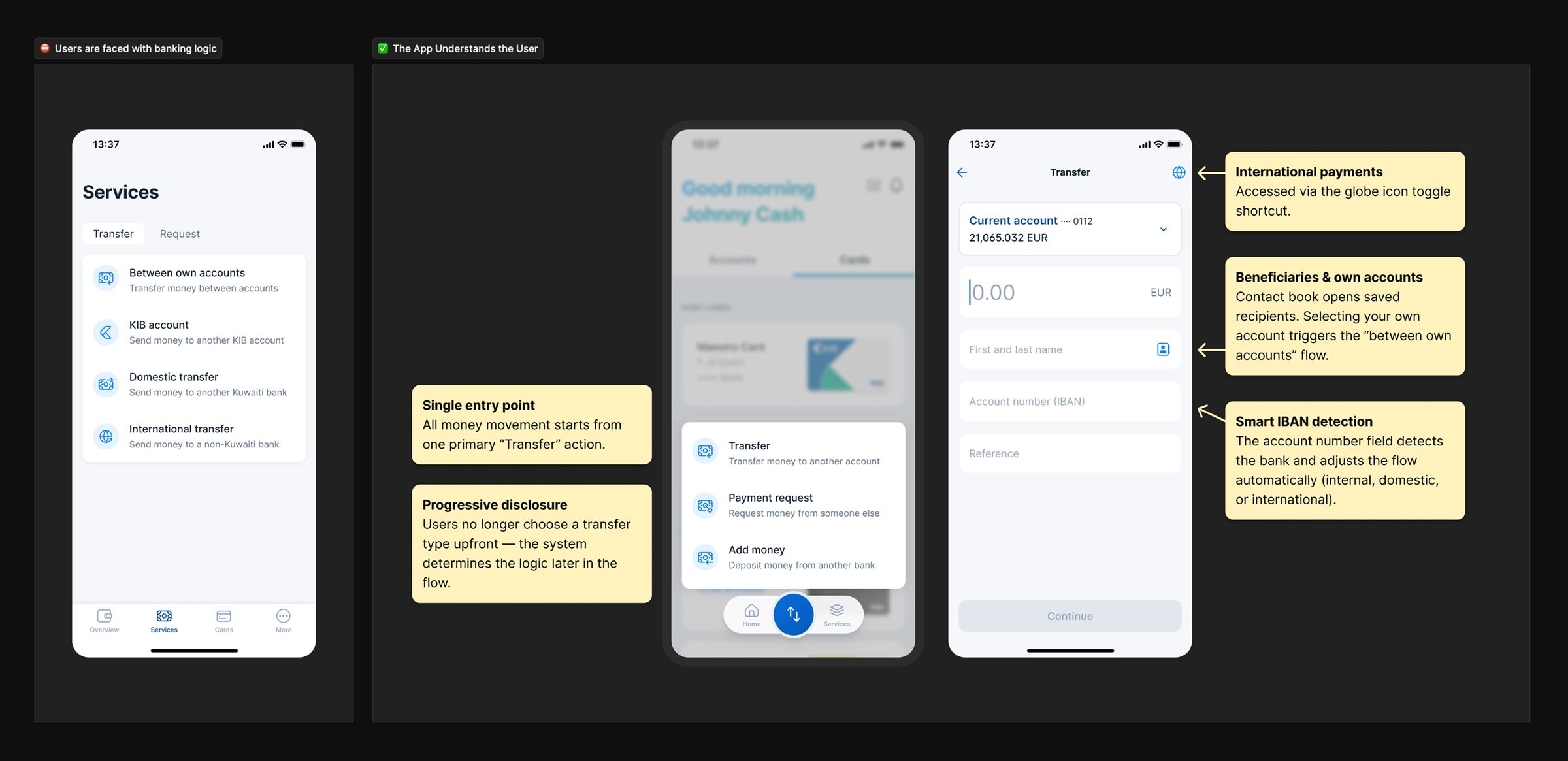
The bank thought in transfer types: own accounts, KIB, domestic, international. People don’t. I helped shape one Transfer action that starts with what users know, the recipient, the amount and the account. The account number then tells the app which rules, fees and steps apply.
No surprises before Continue
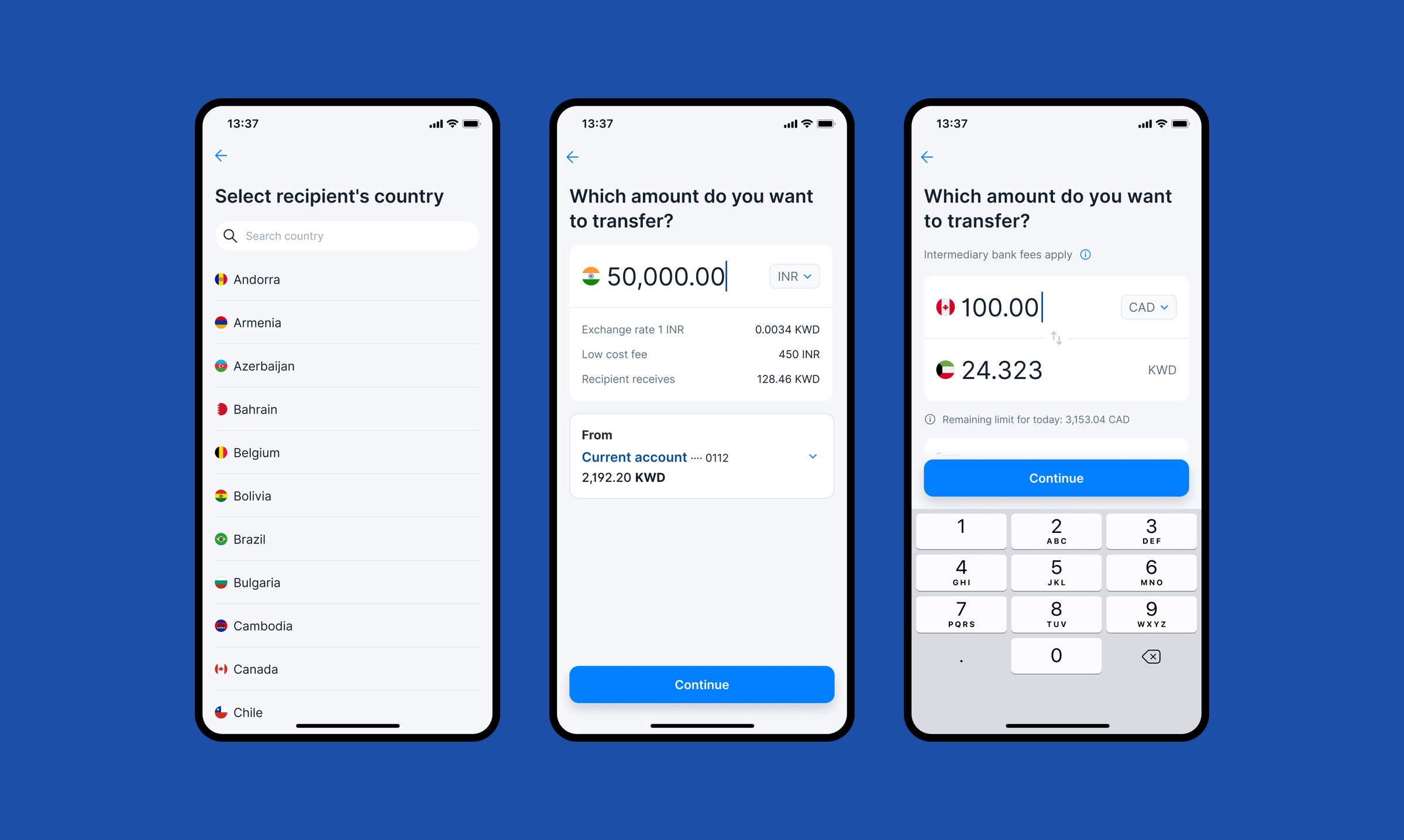
International transfers show the exchange rate, the fee, what the recipient receives and the remaining daily limit, before you commit.
Asking for money, like sending a message
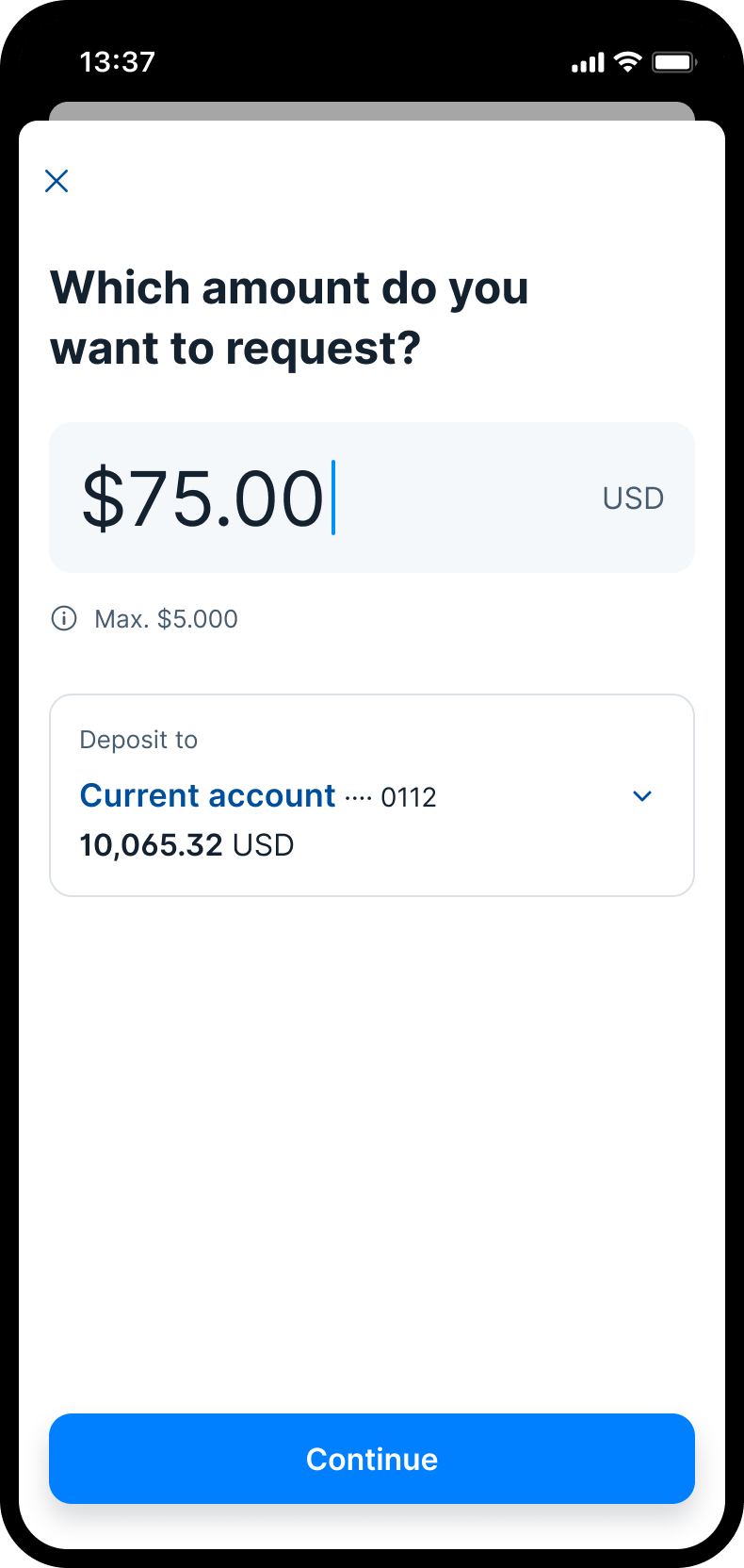
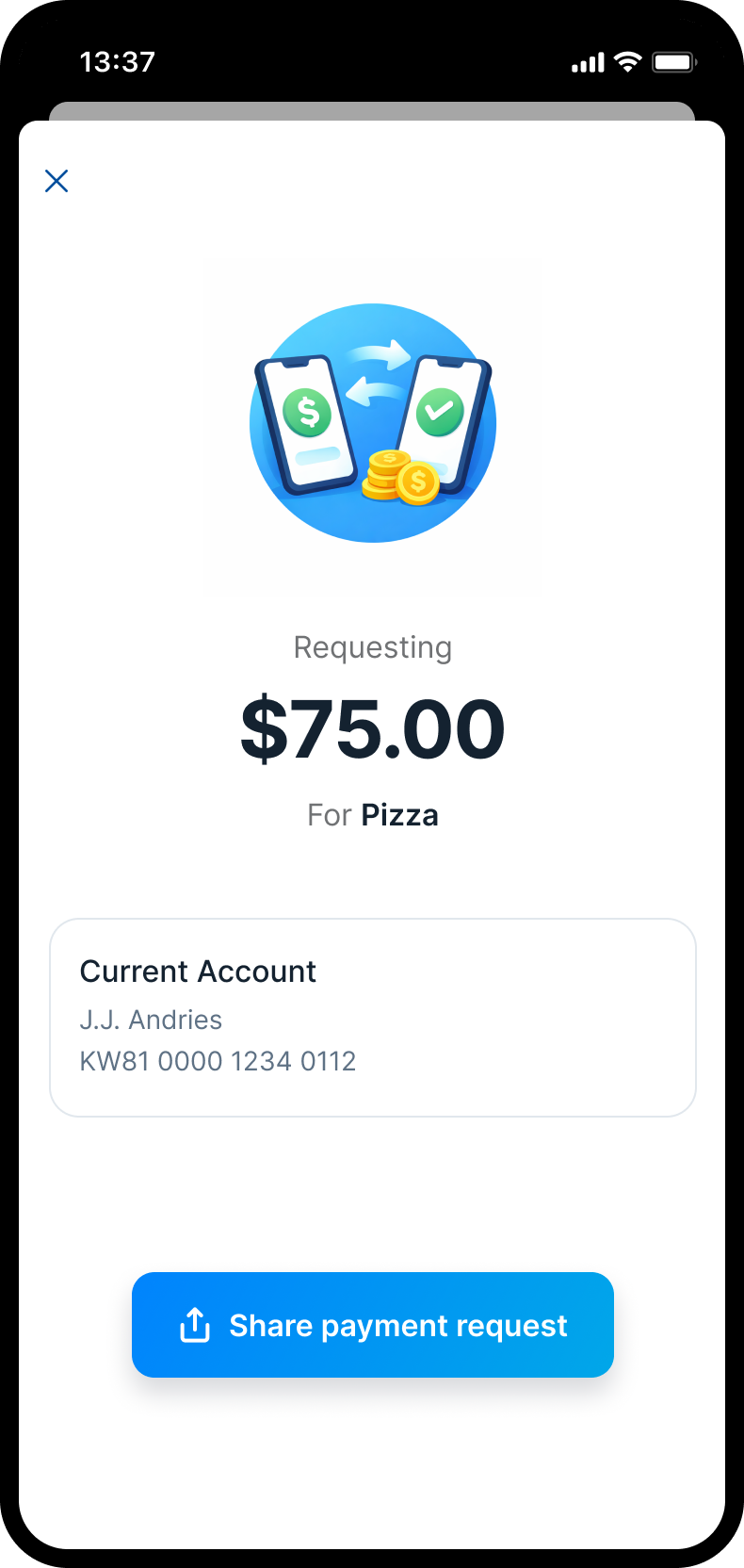
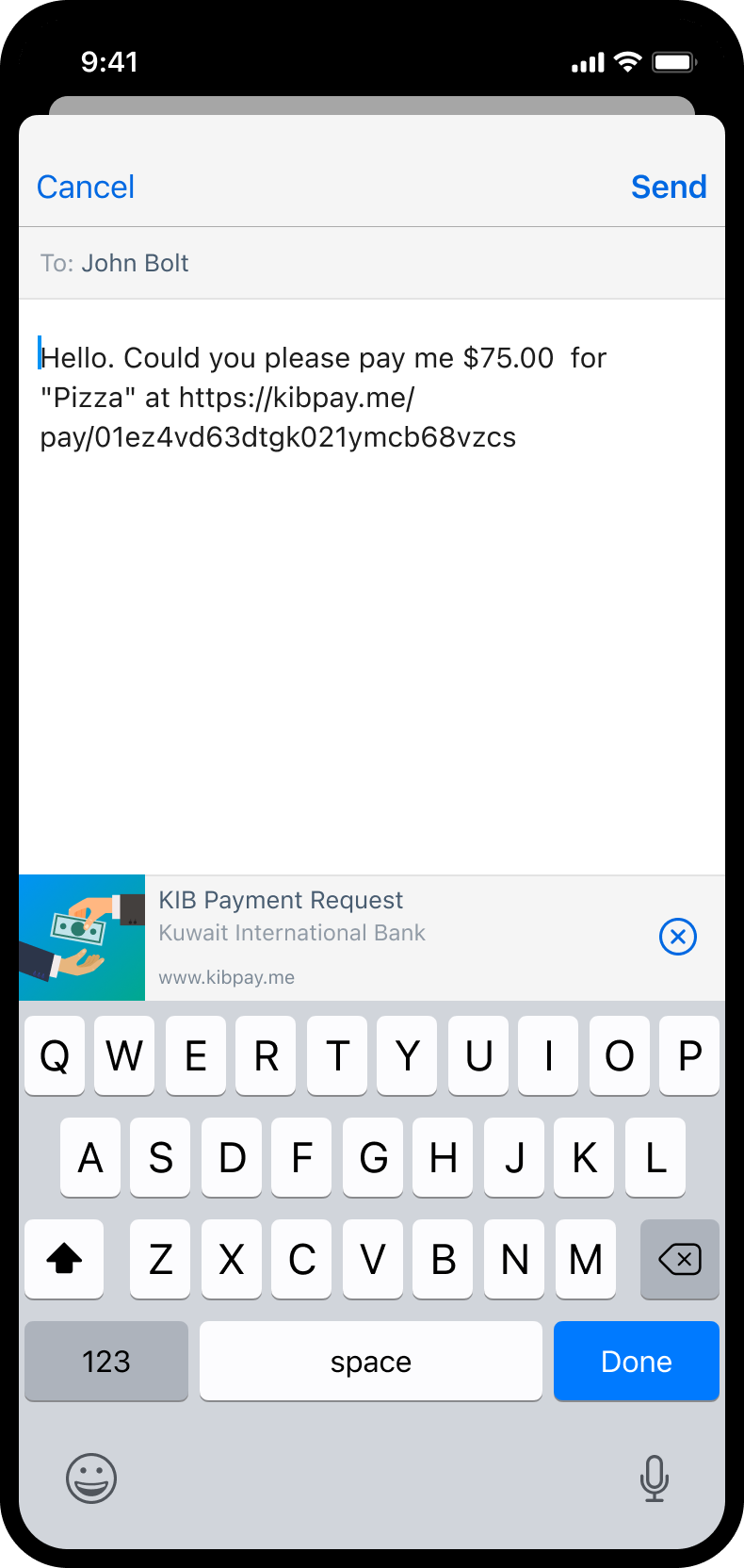
Payment requests are the lighter side of the same model. Set an amount, add what it’s for, and share a link through the apps people already use.
Learn it once, use it everywhere
Domestic payments set the pattern: account, amount, recipient, review, confirmation, feedback. Payment requests, international transfers and card applications reuse it, each adding only what it needs. The complexity of banking didn’t disappear. It shows up where it matters.
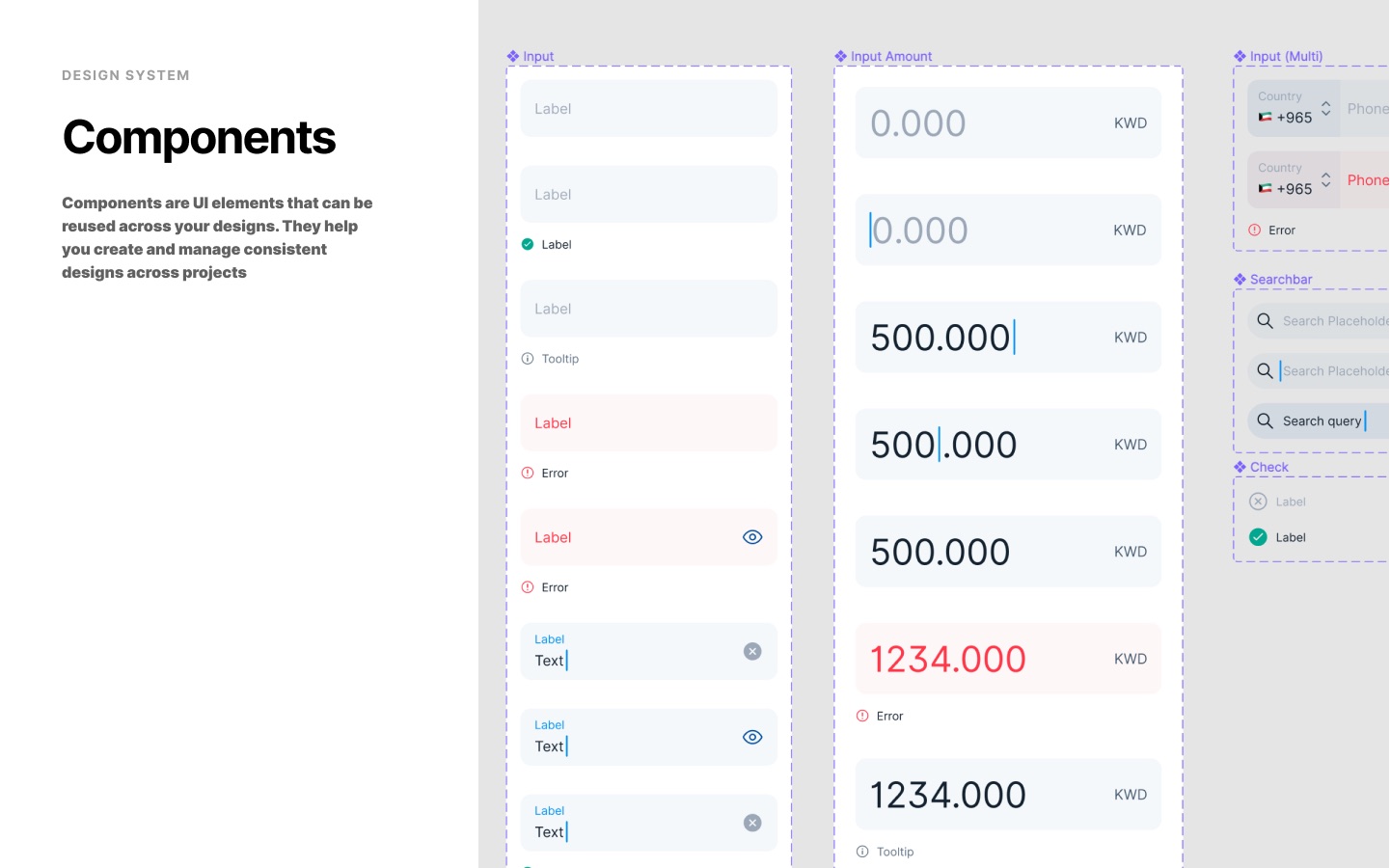
Money needs its own components
A generic text field isn’t enough when the value is an amount in dinars, euros or rupees. In the design system I co-created with the team, currency input, account selection and confirmation states became components of their own, so every payment flow behaves the same way.