Salonized · 2019
Book from
any page
Salons put the Salonized widget on their own website so customers can book. The old widget was an inline accordion that only worked where it was embedded. I redesigned it as a booking button that is always in view and opens the whole flow on top of the salon’s site, mobile first.
Lead designer · product design and prototyping · 2019
From accordion to button
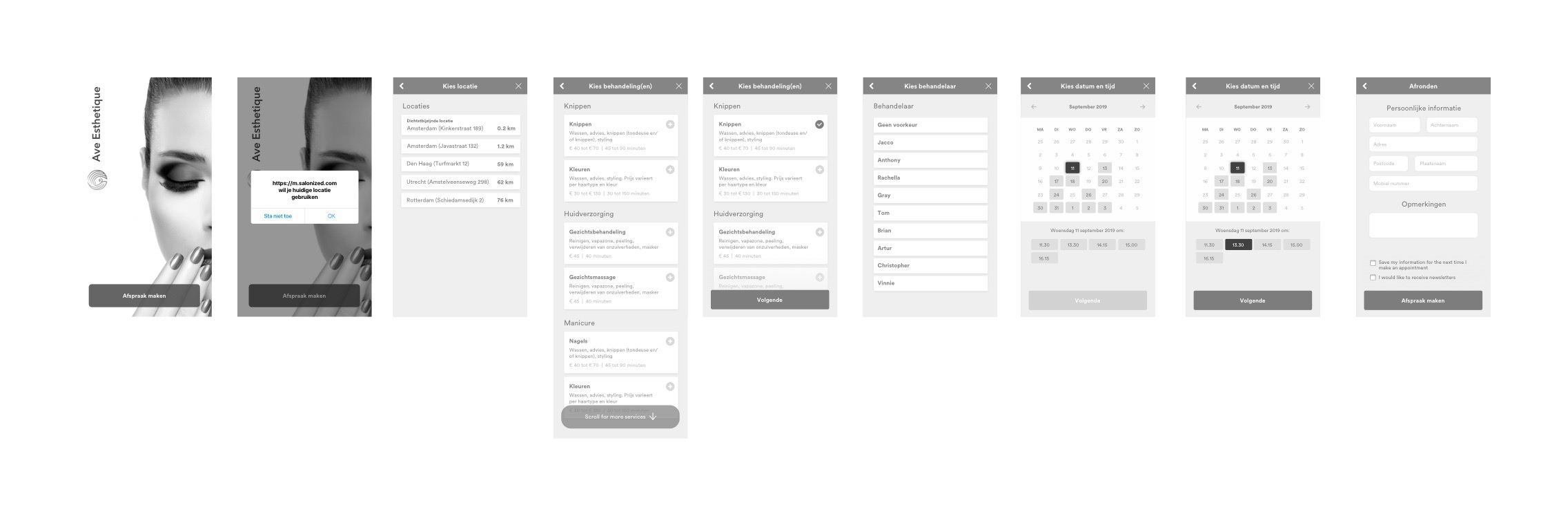
The accordion had known usability problems: the steps unfolded inside the page, it looked and behaved differently from site to site, and on a phone it grew into one long scroll. I explored several directions first: a dialog, a cart, even a chat-style assistant. After user research we picked the simplest one. A single button sits in the corner of every page, and one tap opens the flow while the salon’s site stays behind it.
One flow on every screen
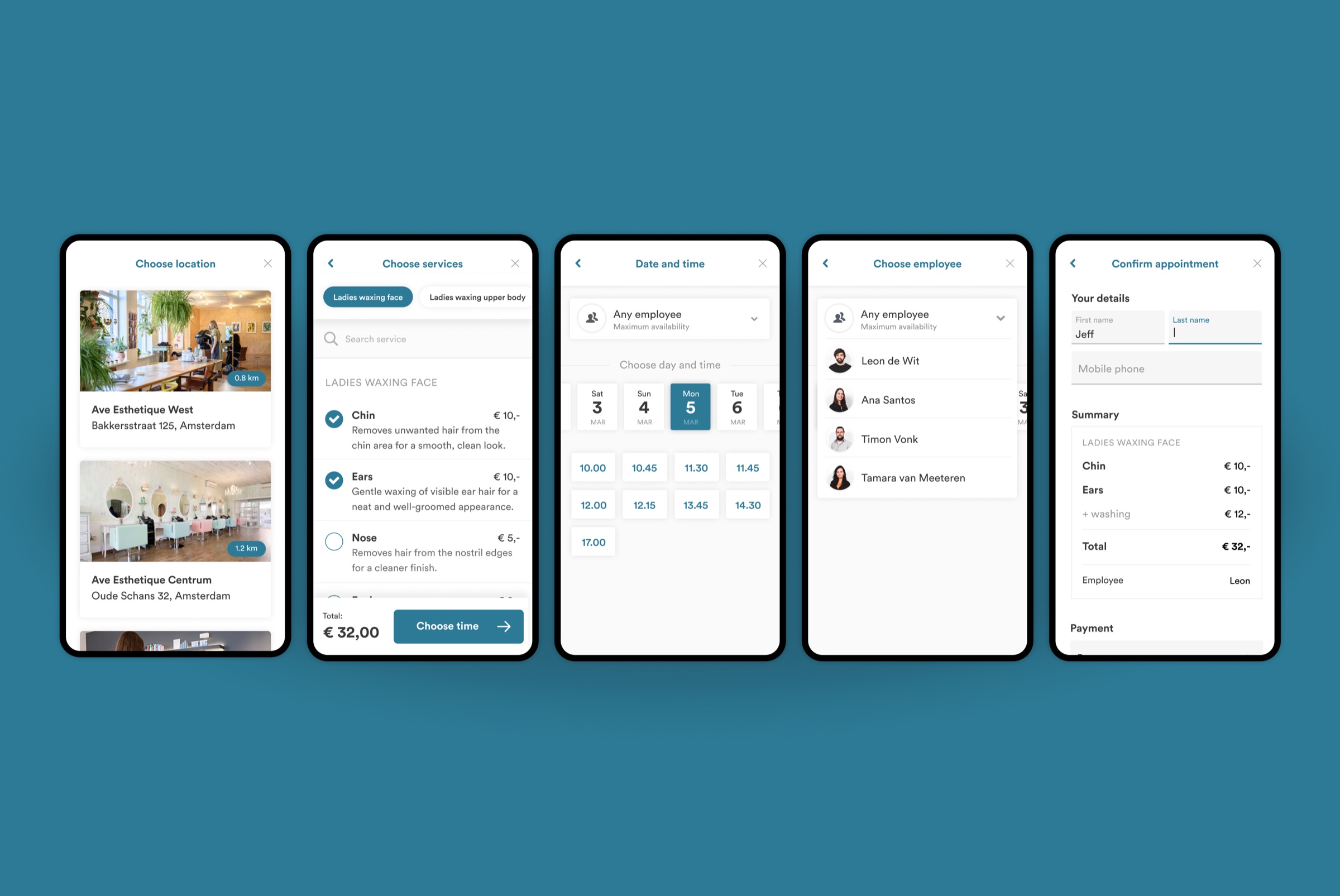
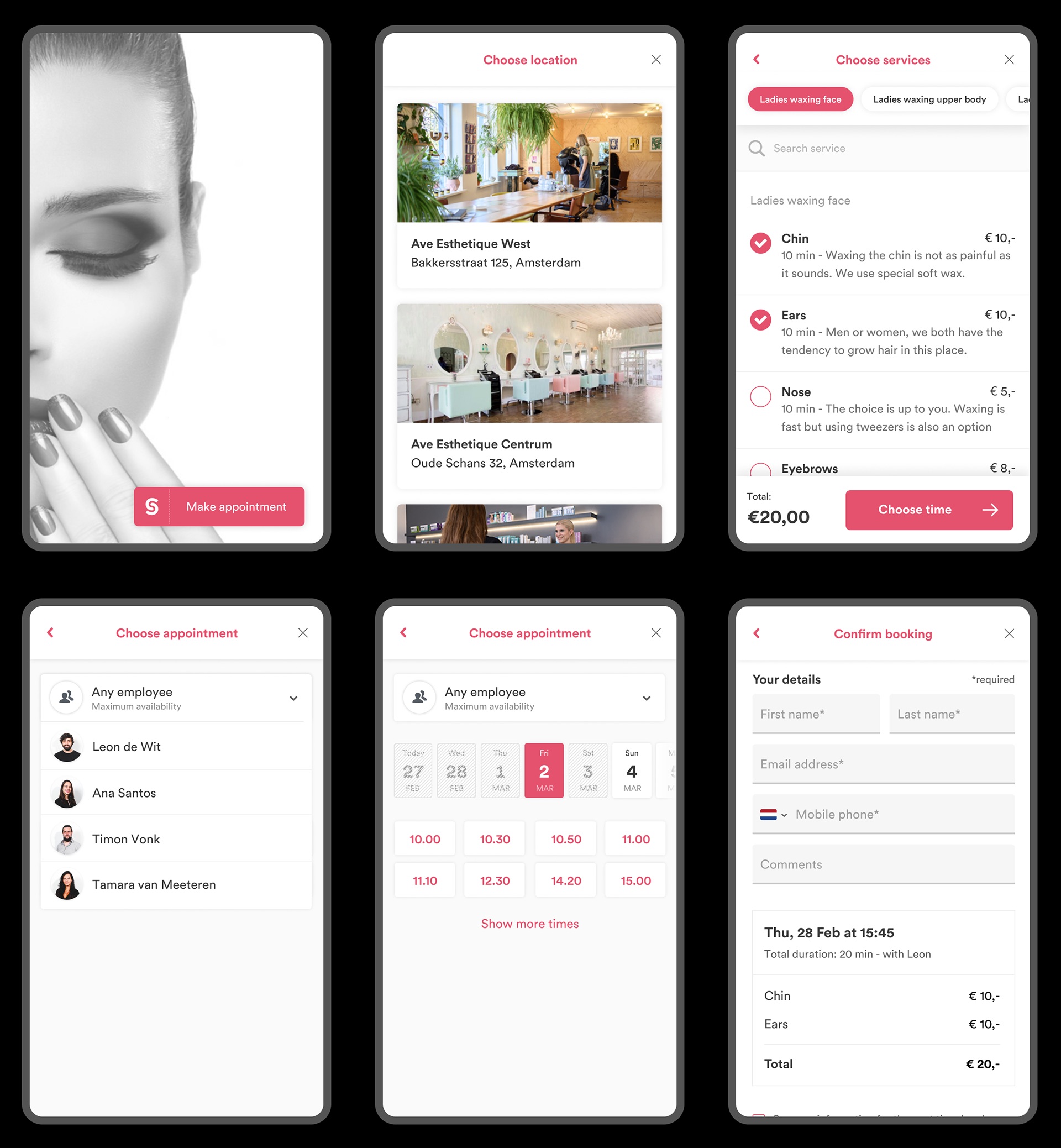
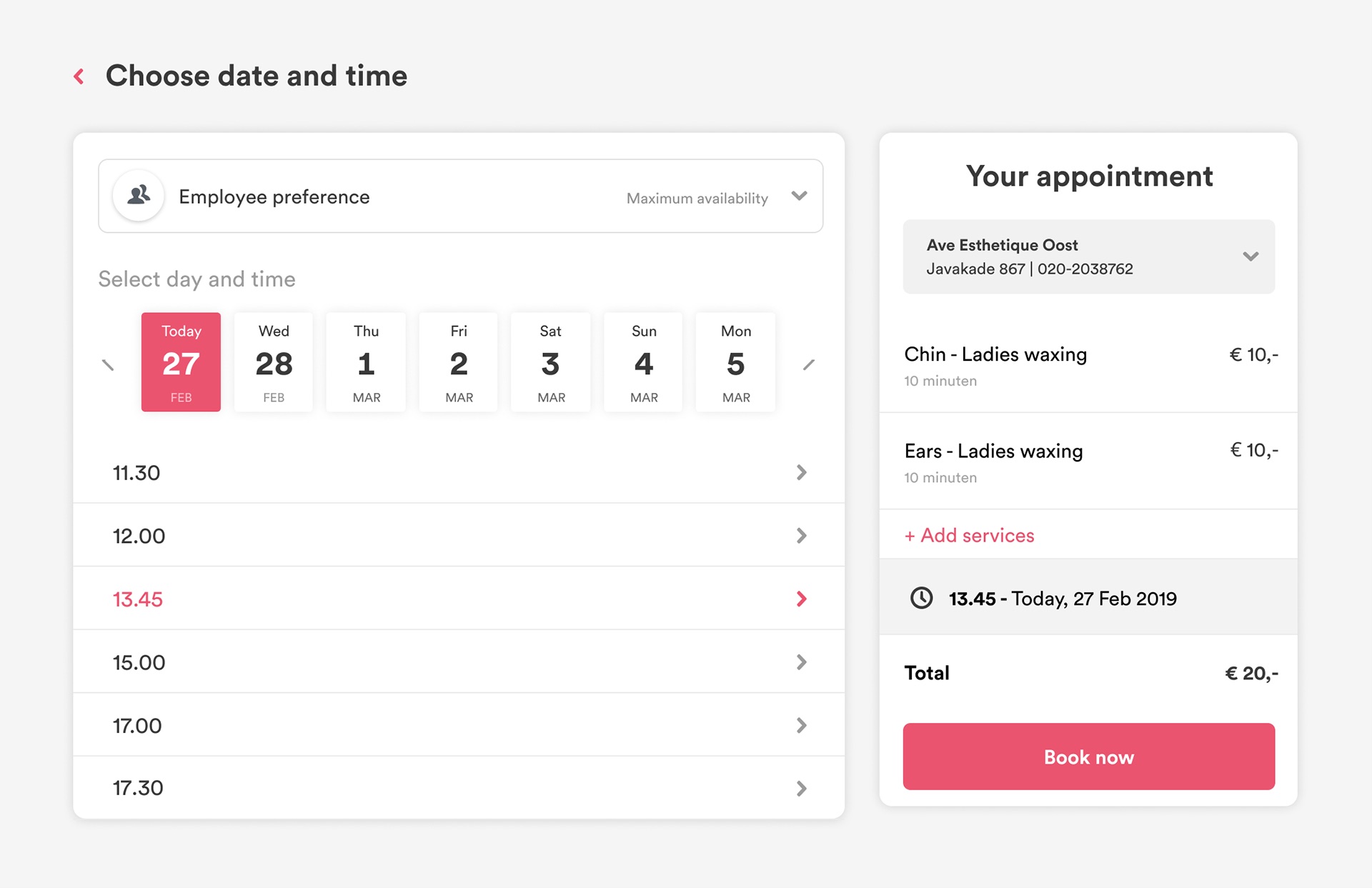
Customers choose a location, one or more services with a running total, an employee or simply the first one available, a day and time, and confirm. On a phone each step fills the screen. On a desktop the summary stays next to the steps, so you always see what you are booking.
Their brand, our button
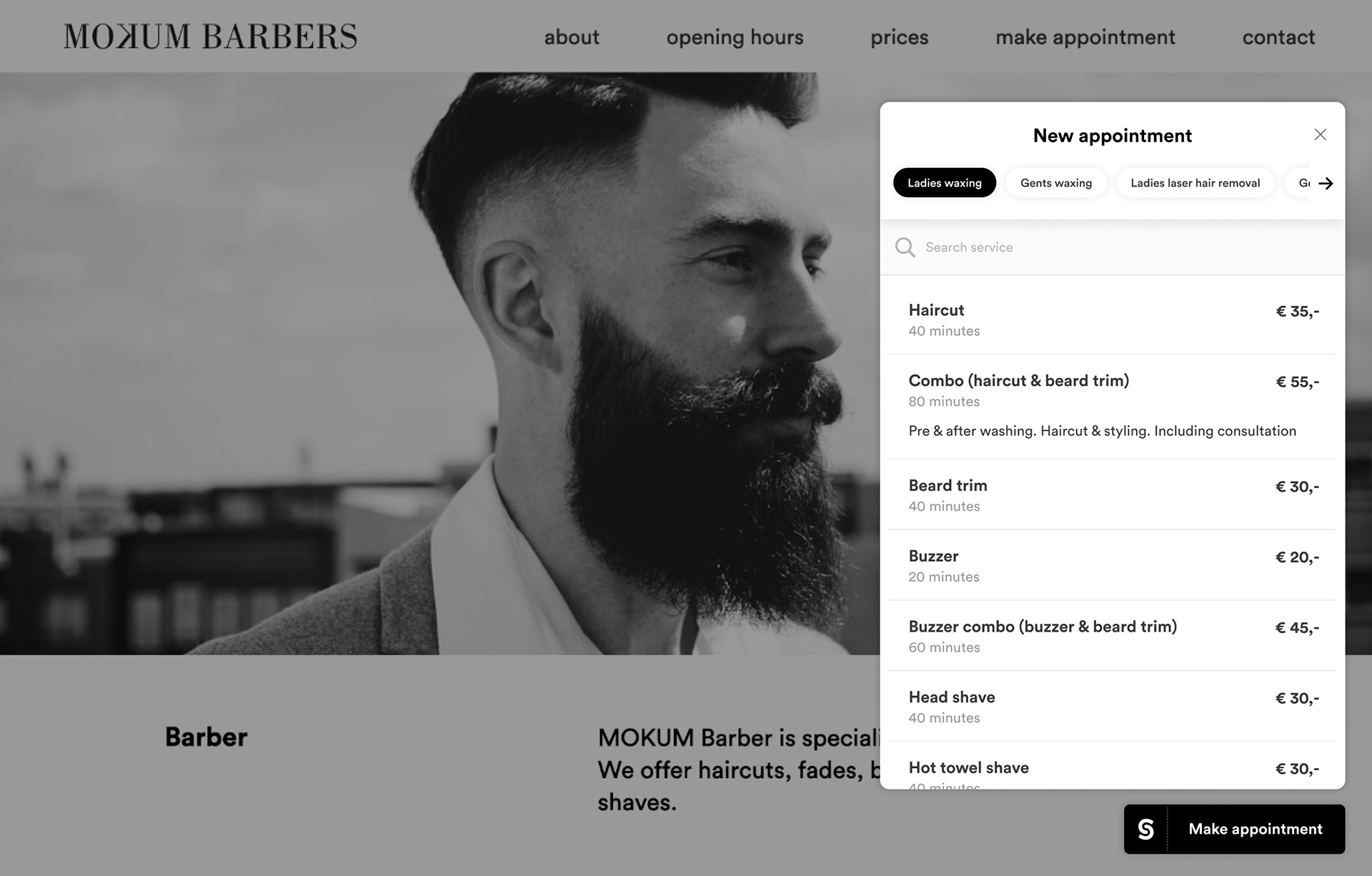
Every salon can set the colour and typeface of the widget so it fits its own site, in light or dark. Next to that we introduced a general Salonized booking button with the logo in it. Each booking on a salon’s site also made the Salonized brand a little better known.
One system behind it
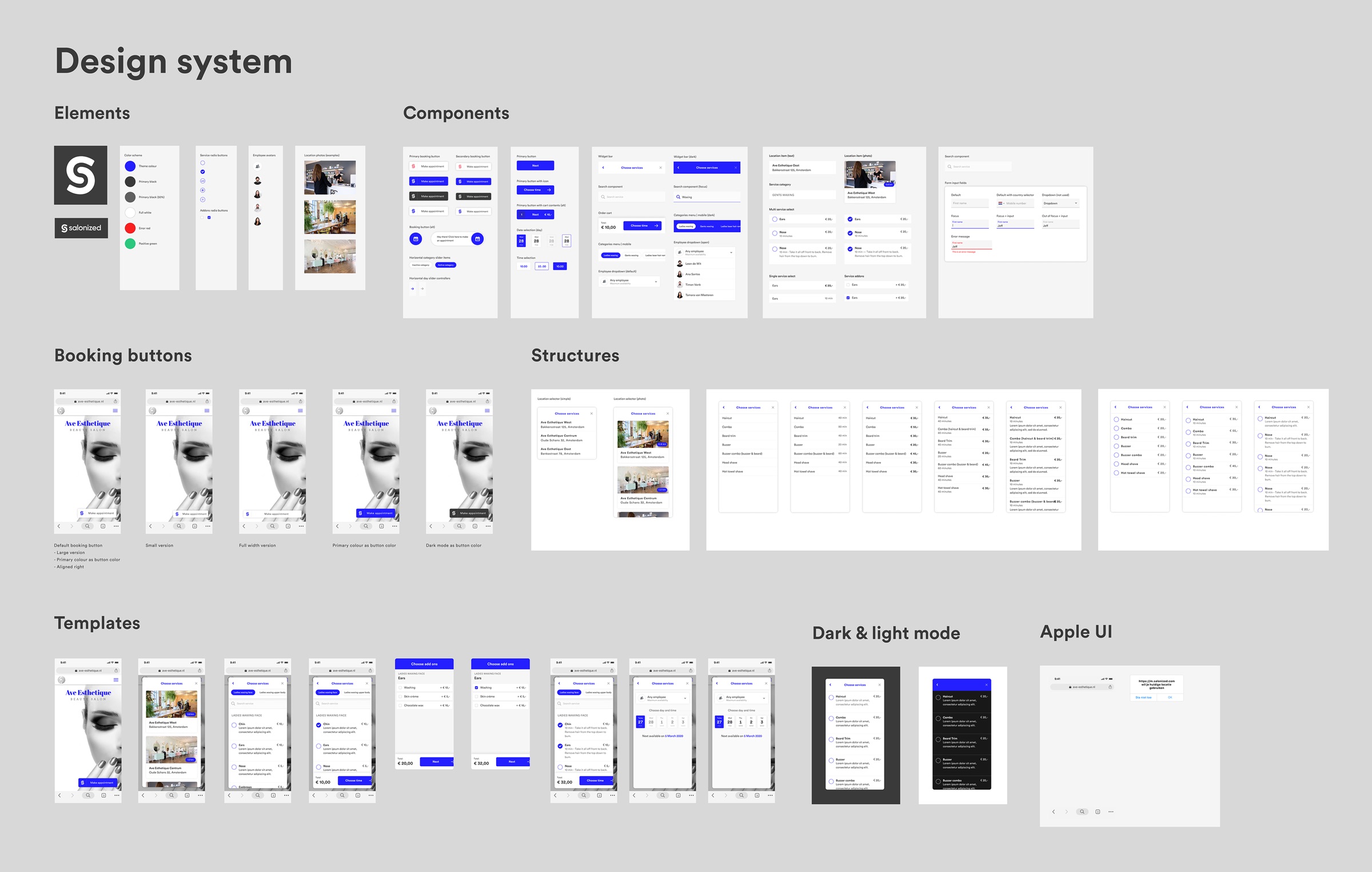
Buttons, steps and states live in one Figma design system, with templates for every step and both themes. I shared it with the Figma community.