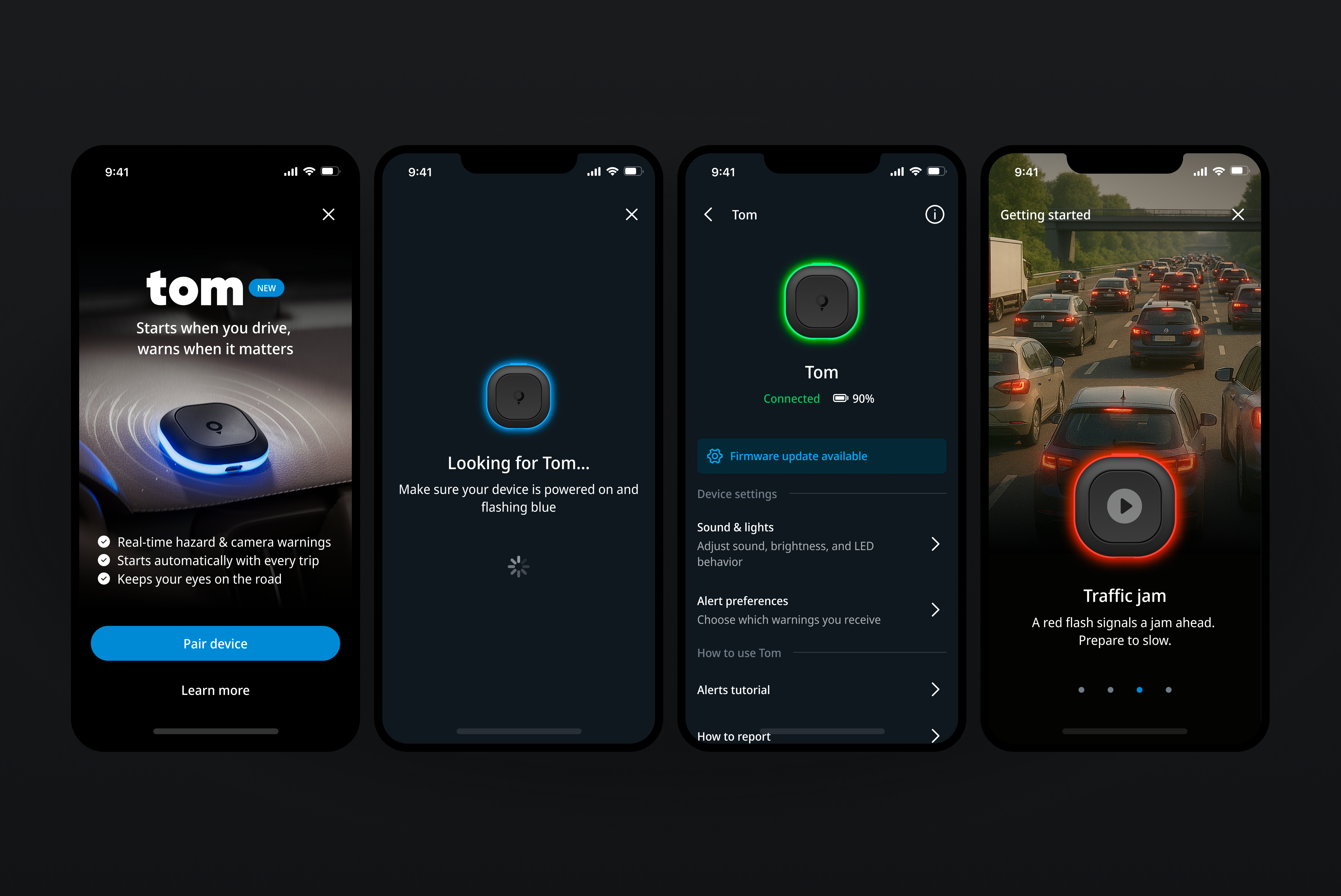
Designing a coherent light and sound language that lets Tom communicate alerts, states, and feedback clearly without a screen.
Type — Product Design
Company — TomTom
Role — Senior Product Designer
Year — 2025
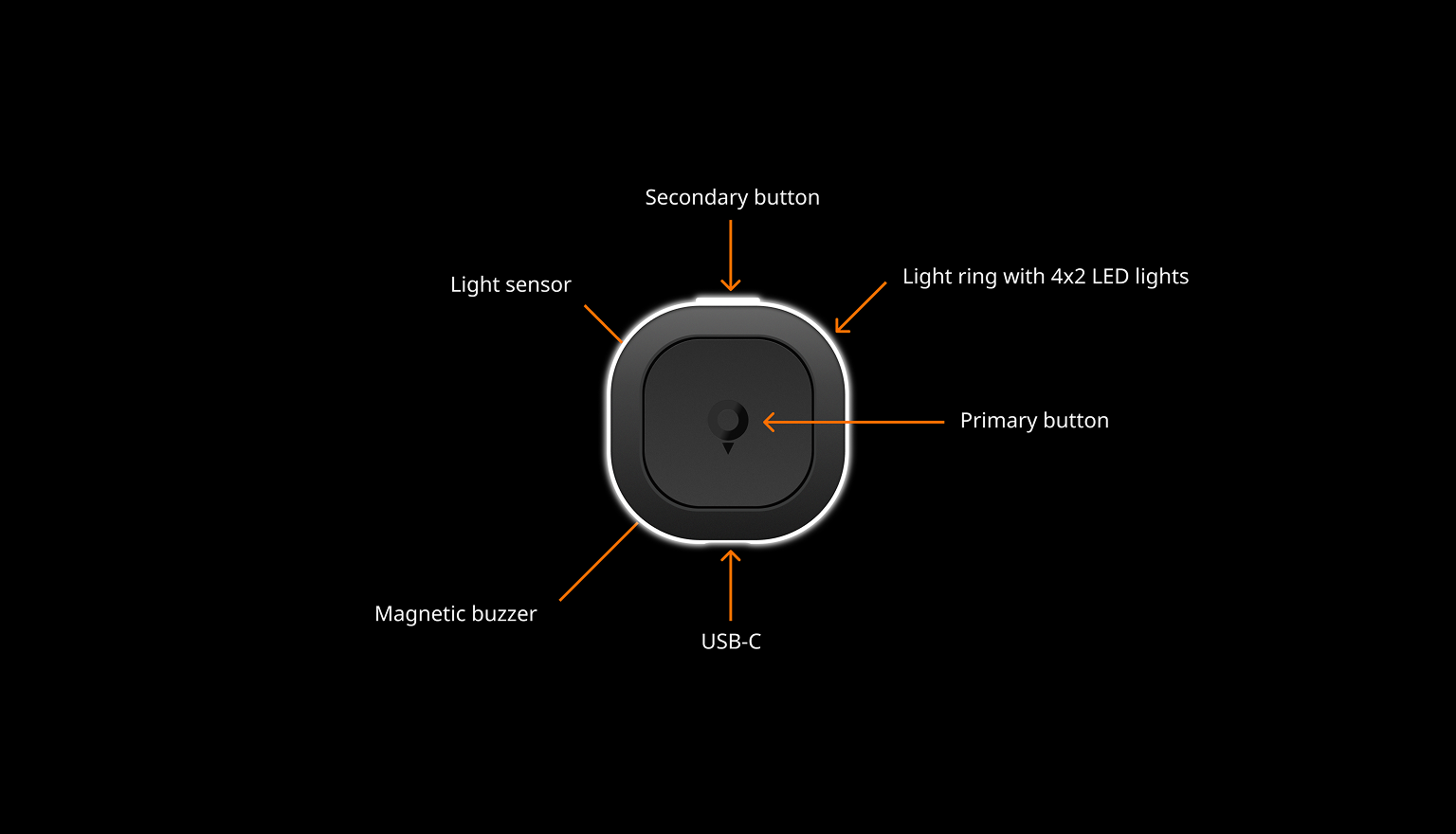
Light and Sound
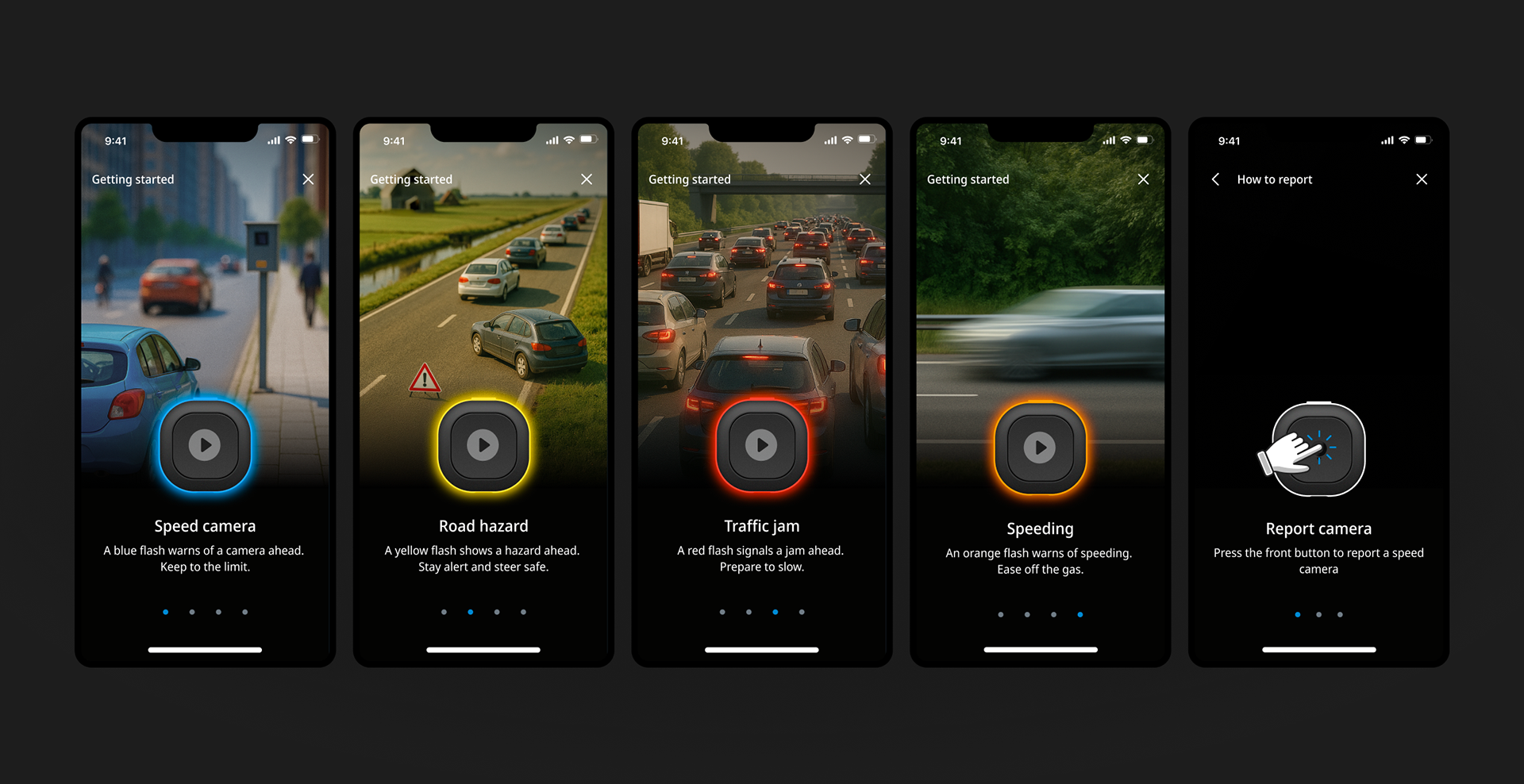
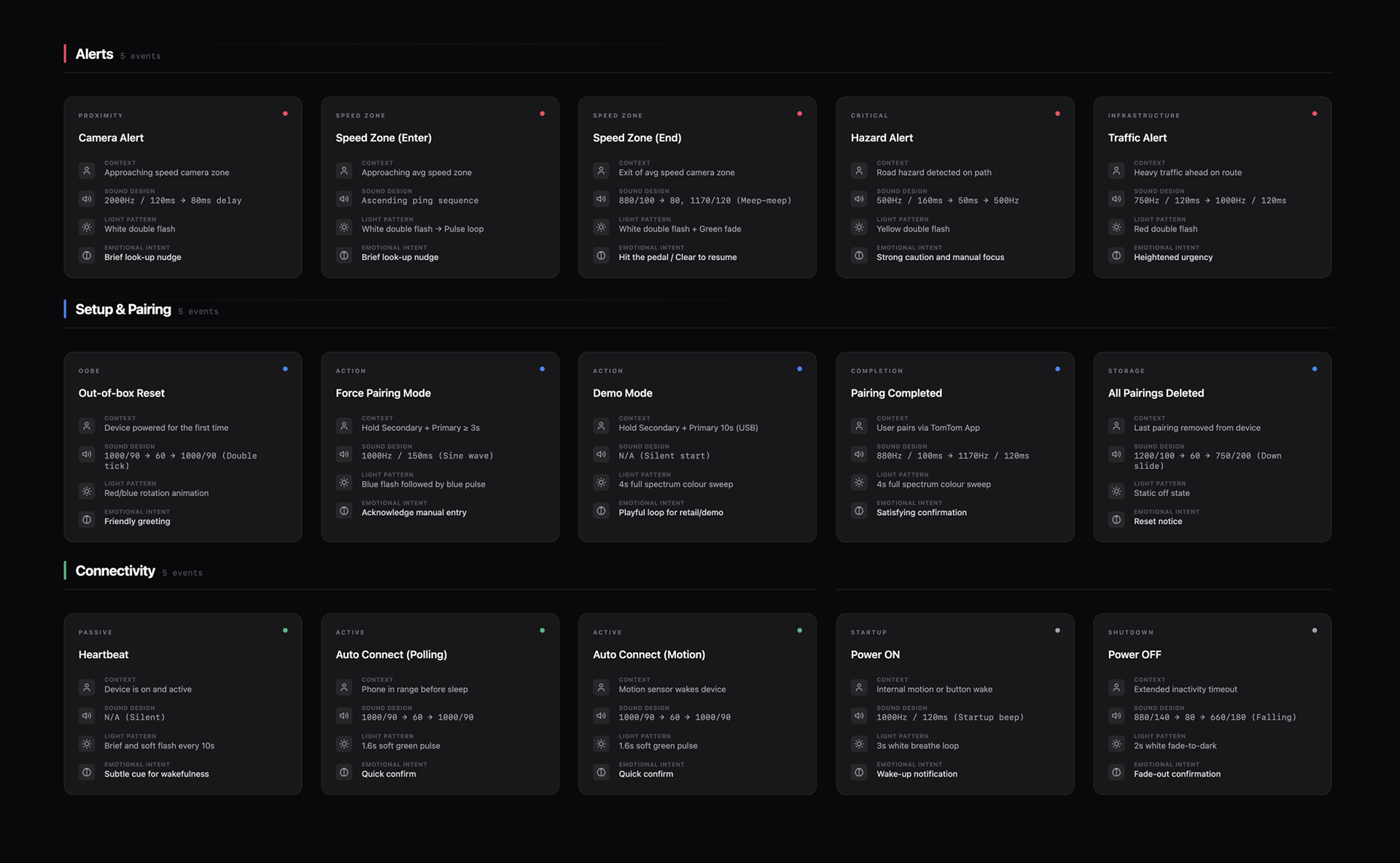
Alerts needed to be distinct without becoming stressful. I used variations in rhythm, pitch, duration, and colour to separate camera zones, traffic, hazards, and speed events. Lower-impact moments use short, light cues; urgent situations use stronger light and deeper tones. Recognition comes from pattern, not volume.
The same signal language also covers quieter states: pairing, reconnection, background activity, and power changes. Soft pulses, confirmation tones, and subtle heartbeat signals make invisible processes feel clear, controlled, and reliable.
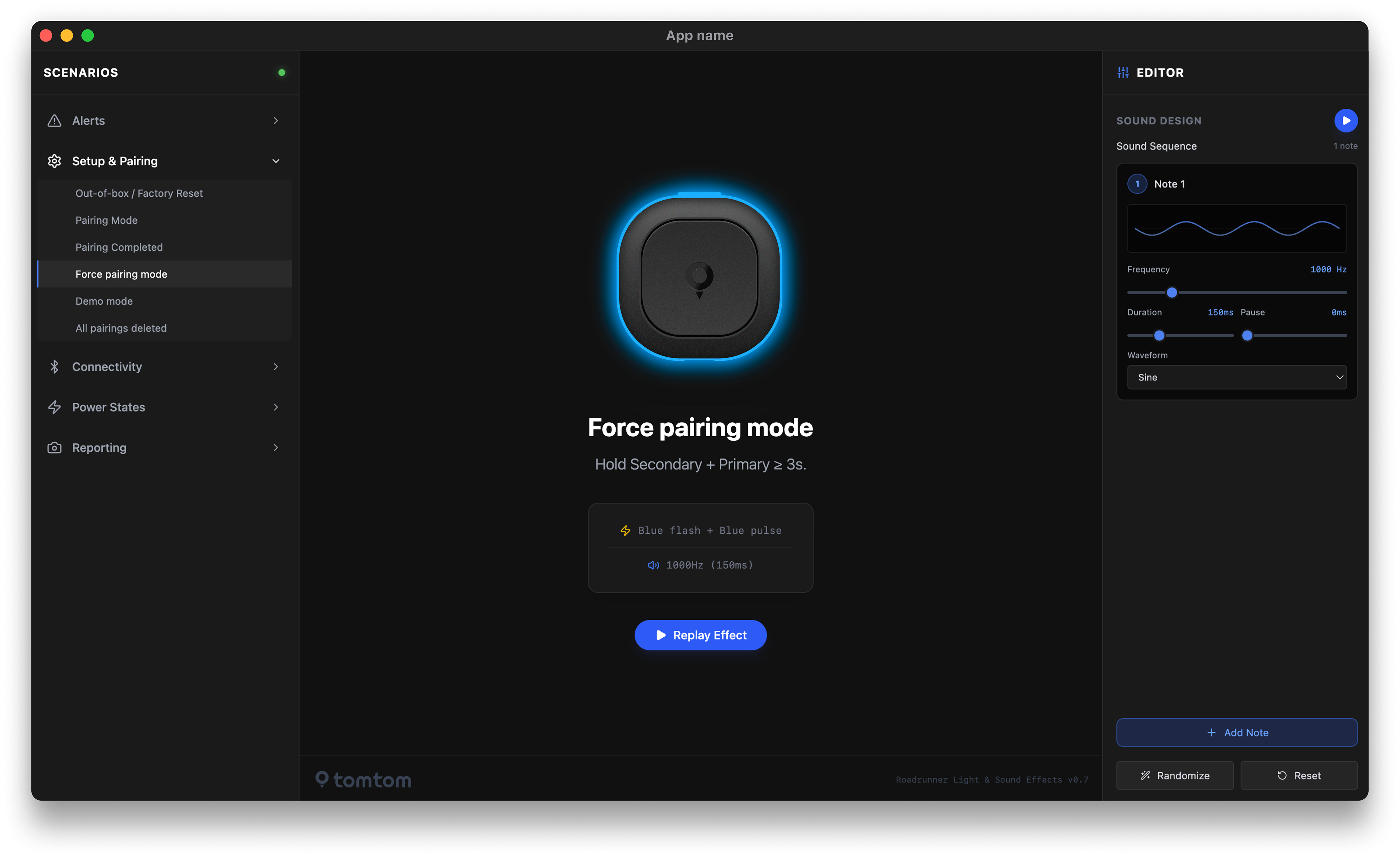
Simulator
A key part of the project was finding a way to design and test the device behaviour before physical hardware was available. I built a web-based simulator with Cursor-generated code, making it possible to explore light patterns, timing sequences, and sound combinations interactively in the browser.
This replaced a slow feedback loop between design, engineering, and the hardware manufacturer. Instead of waiting for firmware updates or prototype builds, behaviours could be tested, compared, and refined in real time. It also allowed the system to be evaluated as a whole, rather than as a set of isolated signals.
The simulator was my own initiative and carried some uncertainty, as AI-assisted coding workflows were still new. It became a practical bridge between design intent and technical implementation, and significantly accelerated iteration.
Result
The outcome is a consistent language of light and sound that lets the device communicate clearly without a screen. Drivers learn the signals through use rather than instruction. Feedback supports awareness and safety, while remaining calm and unobtrusive.